The back office, priced like one

Every part. Every hour.
Accounted for.

BayTally is the back office for your shop: what parts really cost you, what your techs actually earn on flat rate, and where the money quietly leaks out — before it eats the month.

No card for the trial · Cancel anytime · Export your data any time

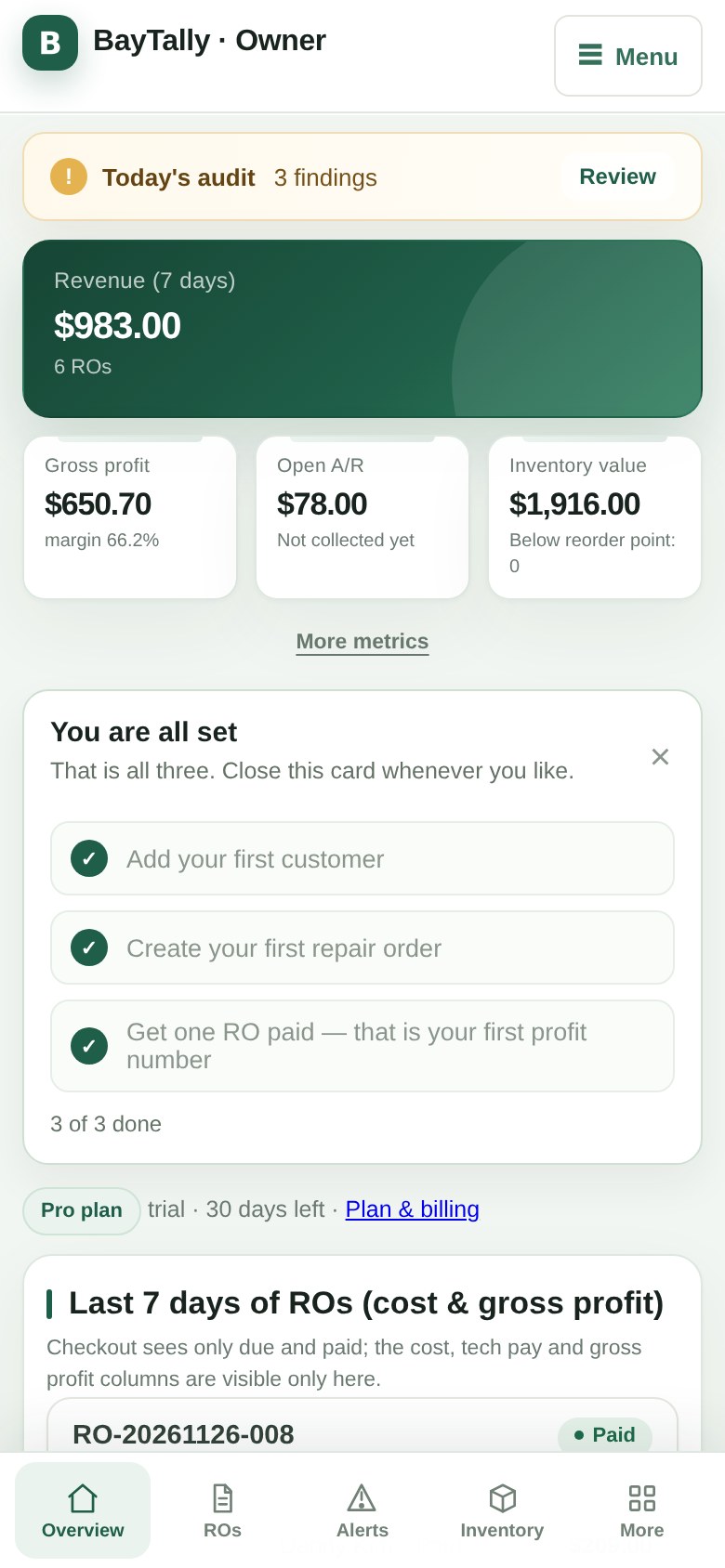
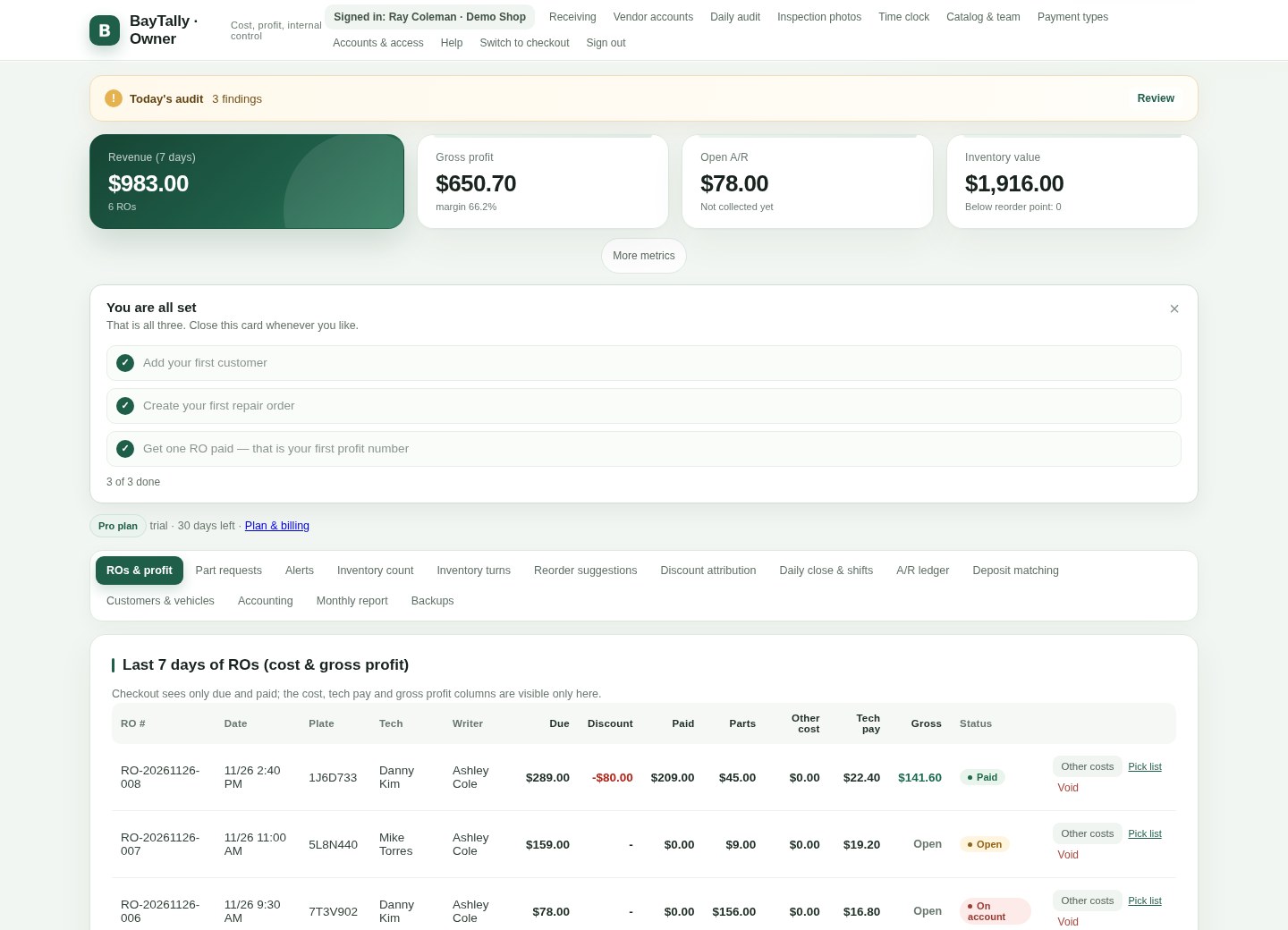
BayTally owner dashboard: revenue, gross, tech pay, stock value and today's repair orders

The gap nobody fills

Inventory and tech pay are locked in the $179+ plans.

The big shop platforms sell you scheduling and texting, then charge you again for the two things that decide whether you make money: what your parts cost, and what your techs are owed.

BayTally only does the back office — and does it at $49. It runs beside the shop software you already use — or replaces the counter work outright on Pro.

To get inventory + tech payPrice of the tier that has both
Shopmonkey$359/mo
Tekmetric$309/mo
AutoLeap$309/mo
BayTally Starter$49/mo
BayTally Pro (everything)$79/mo

Prices are the published annual-billing rate of the tier that actually includes inventory and payroll, checked November 2026.

Three things, done properly

Not another everything-app.

Three jobs, each with the detail a shop actually needs.

01

Parts & cost

Know your real cost per part, per bin, per vendor — not the number on last year's invoice.

  • Bin locations, cost, reorder points
  • Receiving, packing slips, A/P by vendor
  • Counts, turnover, dead stock, reorder list
02

Flat-rate tech pay

Flag hours × the tech's rate, calculated on every RO. No Friday arguments over a spreadsheet.

  • Flag hours captured per line
  • Five pay modes, per-tech rate
  • Techs see their own jobs on a phone
03

Owner alerts

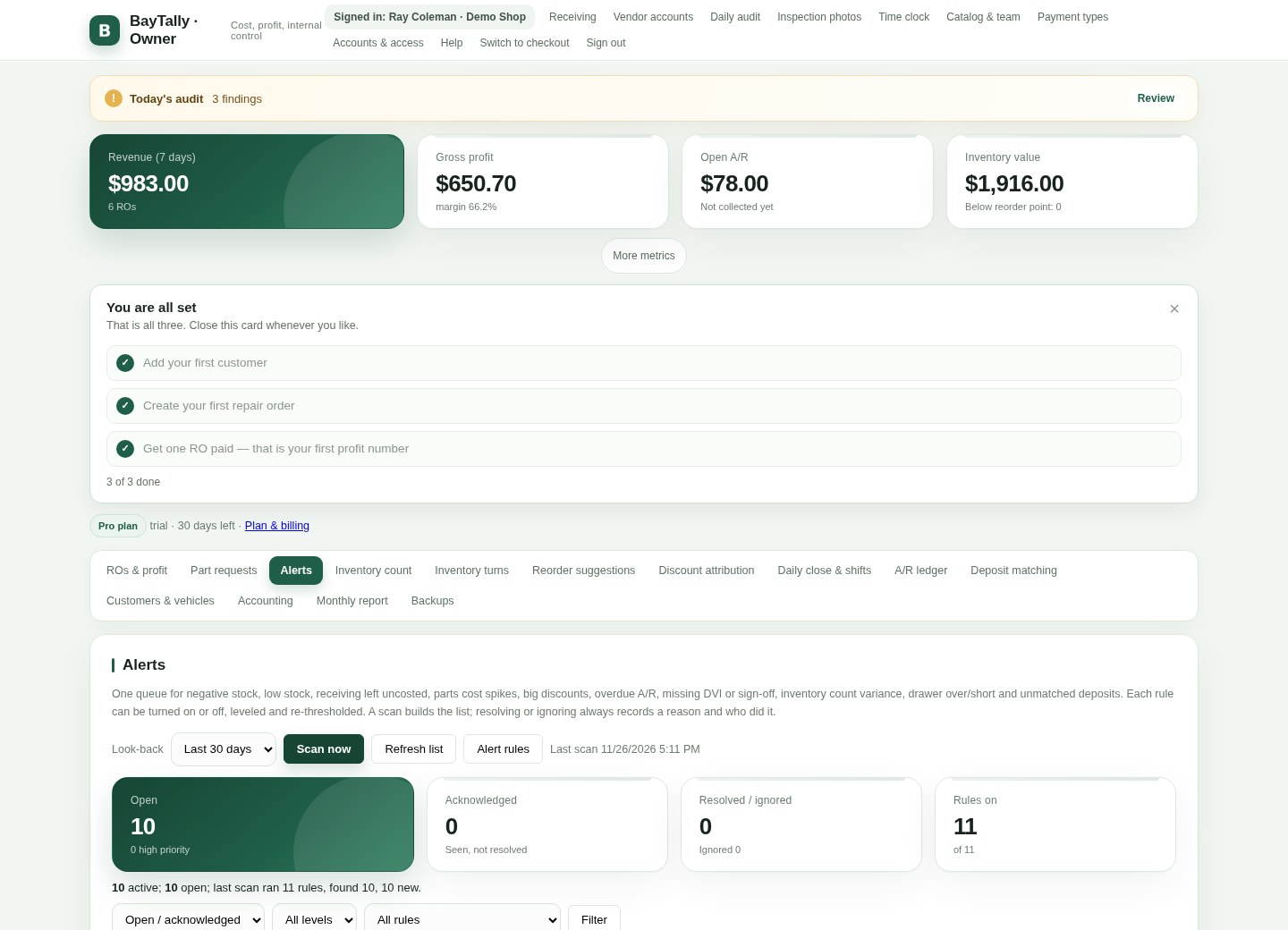
Eleven rules watch the shop while you work: discounts, missing DVIs, negative stock, count variances, slow movers.

  • High / medium / low priority
  • Acknowledge, resolve or ignore
  • Daily audit with the numbers behind it

On Pro

The counter, without the add-on tax.

Write the RO, take the money, close the drawer. BayTally records cash, card, check and on-account — it does not force you onto a new card processor, and it never touches your money.

  • Estimates, ROs, invoices and service history
  • A/R ledger and daily close with over/short
  • Deposit matching against your processor statement
  • Accounting CSV for QuickBooks or your CPA
Owner alerts: negative stock, check payments, count variance, missing DVI, discount over limit
Repair orders on a phone: RO number, status, tech pay, parts

Built for the bay, not the desk

Your techs never walk to the office.

Every screen works on a phone: techs clock in, see their own ROs and flag hours; the advisor checks parts on hand at the car; you approve a discount from the lot.

  • One login per person, one role each
  • Techs see only their own jobs
  • Photos and customer sign-off on the DVI

Pricing

Two plans. Seven days free.

Start on the trial with everything on, pick a plan when it ends. No setup fee, no contract, cancel from the billing page.

Starter

Bolt-on
$49 / month

Inventory, flat-rate tech pay and owner alerts — next to the software you already run.

  • Parts catalog, bins, cost, reorder points
  • Receiving, packing slips, A/P by vendor
  • Counts, turnover, dead stock, reorder list
  • Time clock and flat-rate tech pay
  • Owner alerts and daily audit

Not included: repair orders (ROs) and checkout, customers and vehicles, A/R, daily close, deposit matching, DVI photos, accounting CSV.

Pro

Most shops
$79 / month

The full bay: write ROs, take money, match deposits and hand your accountant a clean CSV.

  • Everything in Starter
  • Estimates, ROs and invoices
  • Customers, vehicles, service history
  • Cash, card, check, on-account — no processor lock-in
  • A/R ledger and daily close / drawer
  • Deposit matching against statements
  • DVI photos and customer sign-off
  • Accounting CSV export

Prices in USD. Sales tax where required is handled at checkout.

Questions

The ones shops actually ask.

Do I need a credit card to try it?

No. You get seven days with everything switched on. When it ends, pick a plan or export your data — nothing is held hostage.

Does it take card payments?

No, on purpose. BayTally records cash, card, check and on-account against the RO and reconciles your drawer and deposits. You keep your existing terminal and processor; we never touch the money.

Will it replace my current shop software?

Starter is built to sit next to it: keep Shopmonkey, Tekmetric or paper tickets, and use BayTally for inventory cost, tech pay and alerts. Pro can run the whole counter if you want one system.

How does tech pay work?

Each RO line carries flag hours; the tech has a rate. Pay is flag hours × rate, with five modes (flat rate, hourly, salary, hybrid, none) and a per-tech rate. Techs see their own hours and month-to-date on a phone.

Does it sync with QuickBooks?

Through CSV, not a live sync. Pro exports a sales journal and a payments journal your accountant or QuickBooks import can take. Live two-way sync is not something we pretend to have.

Can I bring my old data in?

Yes — customers, vehicles, parts and open ROs from an Excel or CSV export. The importer shows a pre-flight check first: what maps, what is new, what is skipped and what has errors, before anything is written.

What happens when the trial ends?

The owner account stays open so you can pick a plan or export everything. Counter and tech logins pause until a plan is active. Your data stays put either way.

Where does my data live?

In your shop's own database on the server, backed up automatically, downloadable as a full backup whenever you want. It is your data, not ours.
Seven days. Real tickets. See if the numbers match.

Setup is one form. No card, no call, no demo booking.